How I Build AI Automation Systems Using n8n and GPT-4
A practical breakdown of how I design production AI automation pipelines with n8n, GPT-4 and Supabase, including a documented outreach workflow with a reported 200+ emails per day.
AI & automation · 2 min read · Kriyvo journal
In this article
Introduction
Automating 200+ daily operational transactions using visual n8n pipelines paired with deterministic GPT-4 reasoning nodes.
They look like quiet pipelines that run hundreds of operations a day without anyone watching. This post breaks down the architecture I use to build those systems with n8n, GPT-4 and Supabase.
Why n8n for production AI automation
n8n gives me a visual, self-hostable automation layer that I can deploy on my own infrastructure. Unlike closed SaaS tools, I can control the data, retry behaviour and deployment model — which matters when a workflow is business-critical or handles sensitive client data.
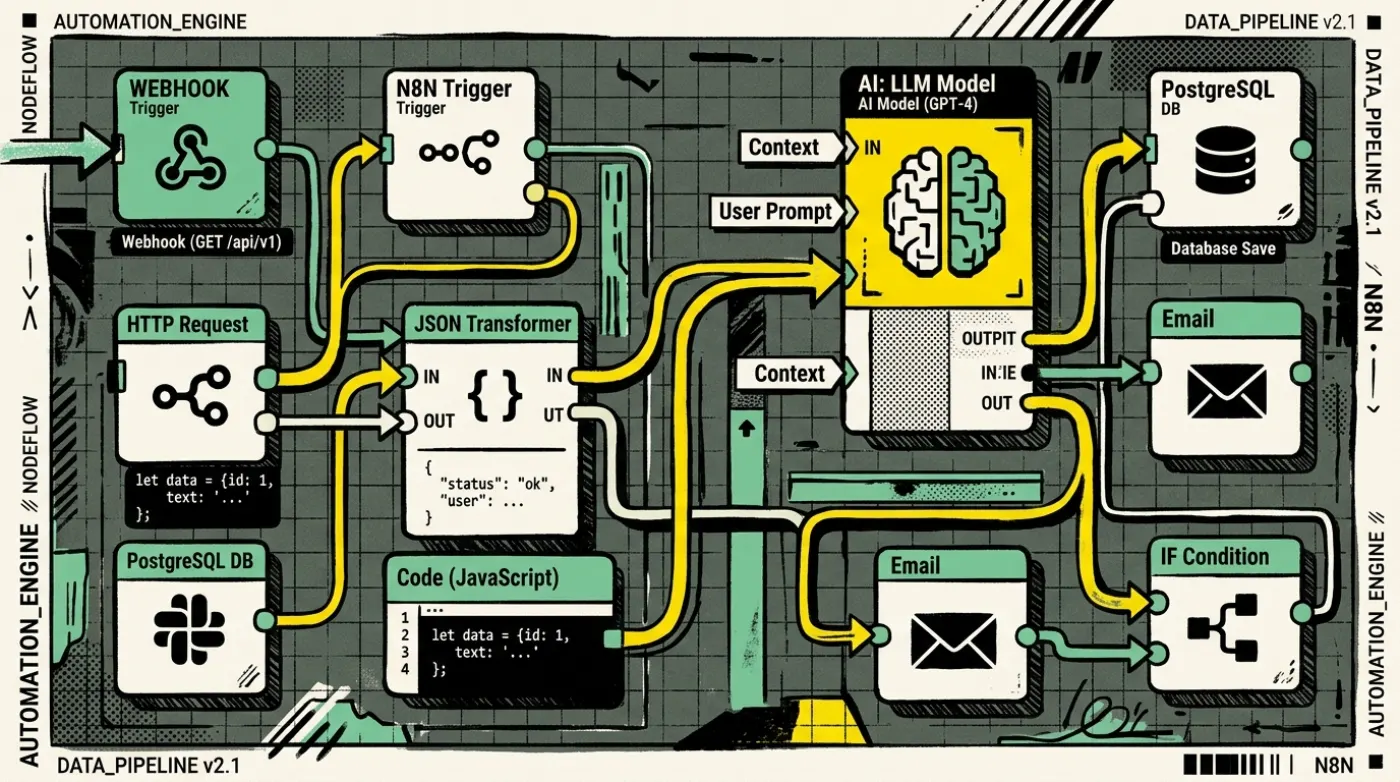
The core pattern is simple: a trigger (webhook, schedule or queue), an enrichment stage, an LLM reasoning stage powered by GPT-4, and an action stage that writes to Supabase or calls an external API.
The outreach pipeline that sends 200+ emails a day
One documented outreach system enriches lead data, generates a personalized email with GPT-4, and sends through SMTP while logging execution to Supabase.
The reliability pattern is idempotency: keep per-lead state so a failed step can be retried with context about what already completed.
Key takeaways
Treat the LLM as one node in a larger deterministic system, not the whole system. Log everything to a database. Make every step retryable. That is how AI automation moves from a fragile demo to production infrastructure.
Need this built? n8n workflow automation
Maintainable n8n workflows for API and CRM integrations, AI-powered steps, lead processing, logging and failure handling.
See the serviceWritten for the Kriyvo journal. Product claims reported by third-party sources are not independent Kriyvo AI benchmarks.