How to Automate Business Tasks with n8n: A Beginner's Guide
Learn how n8n workflows work, which business tasks to automate first, and how to build a reliable workflow with triggers, nodes, credentials, and error handling.
Workflow design · 6 min read · Kriyvo journal

In this article
What is n8n?
n8n is a workflow automation platform that connects apps and services so information can move between them automatically. A workflow consists of nodes connected in a sequence or branching structure. Nodes can receive events, transform data, call APIs, apply conditions, and send results to another system.
Businesses use workflow automation to reduce repetitive operations—for example, moving website leads into a CRM, sending internal alerts, synchronizing records, or preparing a support summary. n8n can also be combined with AI model APIs, databases, and retrieval systems for workflows that need language understanding or content generation.
Before choosing a deployment method, check n8n's current pricing, license terms, hosting options, and feature availability. These details can change.
How an n8n workflow works
Most workflows include some combination of the following:
- Trigger node: Starts the workflow when an event occurs, on a schedule, or when a webhook receives a request.
- Application node: Connects to an app or service using an available integration.
- Data transformation: Renames fields, filters records, combines values, or converts information into the expected format.
- Condition: Routes items down different branches based on rules.
- Action: Creates a record, sends a notification, updates a database, or calls an API.
- Error handling and logging: Records failures and enables retries or human intervention.
A workflow may run in a simple sequence, or it may branch when the data meets different conditions.
Five useful business workflows
- Website enquiry to CRM: Trigger: A new form submission arrives.
Steps: 1. Validate required fields such as name, contact details, and enquiry text. 2. Normalize the data and check whether the record already exists. 3. Create or update the lead in the CRM. 4. Send a notification to the responsible team. 5. Record the workflow result and route invalid submissions for review.
Avoid sending marketing messages just because a person submitted a form. Make sure the intended communication is covered by the person's choices and applicable rules.
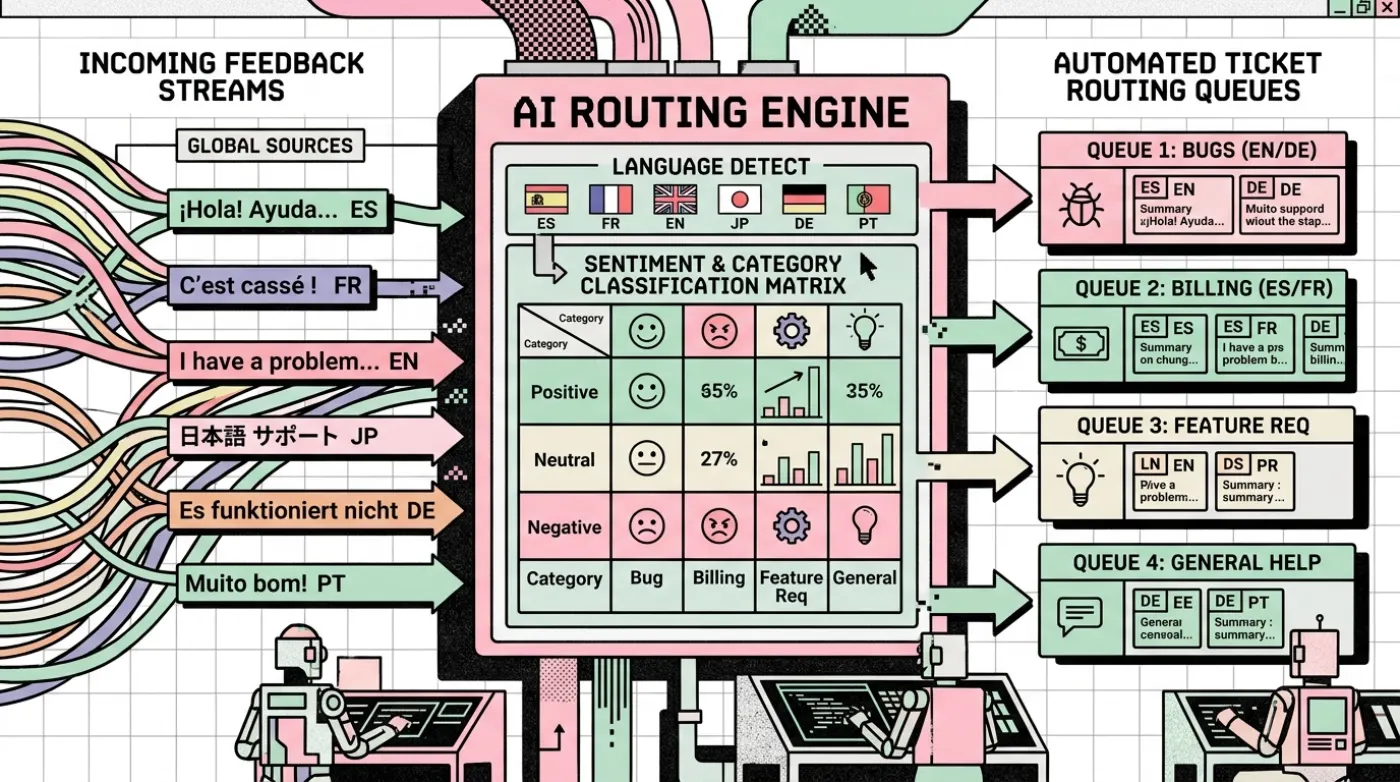
- Customer support routing: Trigger: A new support message is received.
Steps: 1. Save the original message. 2. Classify it into a small set of categories. 3. Check whether the category is allowed and the model's output is complete. 4. Route billing, technical, sales, or general questions to the right queue. 5. Escalate unclear or sensitive cases to a person.
- Scheduled reporting: Trigger: A scheduled time.
Steps: 1. Retrieve data from the reporting source. 2. Check that the query returned the expected period and fields. 3. Calculate summaries using deterministic code where possible. 4. Generate a short report. 5. Send it to the authorized recipients and store a run log.
- Document intake: Trigger: A new document appears in an approved folder or upload endpoint.
Steps: 1. Verify file type and size. 2. Extract text or send the document through an approved extraction service. 3. Parse required fields into structured data. 4. Validate totals, dates, and mandatory fields. 5. Send uncertain results for review before updating business records.
- AI-assisted research or summarization: Trigger: A new item enters a queue.
Steps: 1. Retrieve the source content from an approved location. 2. Ask the model to summarize using a defined structure. 3. Preserve source links and distinguish facts from interpretation. 4. Check the output for missing fields or unsupported claims. 5. Save the draft for review rather than automatically publishing it.
Building your first workflow
Use a small test case before connecting live business data.
Step 1: Define the result — Write one sentence describing what the workflow should accomplish. For example: "When a valid website enquiry arrives, create a CRM record and notify the assigned team."
Step 2: Identify the trigger — Choose a form integration, webhook, schedule, or other appropriate trigger. If using a webhook, understand its authentication and exposure requirements.
Step 3: Connect credentials safely — Use n8n's credential management rather than placing API keys directly inside nodes or expressions. Give credentials only the permissions the workflow needs, and keep development credentials separate from production where practical.
Step 4: Inspect incoming data — Run a test event and examine the actual field names and types. Do not assume every submission includes every field. Account for empty values, unexpected formats, and multiple items.
Step 5: Transform and validate — Normalize phone numbers, dates, identifiers, and text fields before using them. Validate required fields and reject or quarantine invalid records rather than allowing bad data to spread.
Step 6: Add the action — Connect the workflow to the destination system. Confirm whether the action creates a new record, updates an existing one, or could accidentally create duplicates.
Step 7: Test failure cases — Test missing fields, invalid credentials, rate limits, duplicate events, timeouts, and service outages. A workflow that works only with perfect sample data is not ready for production.
Step 8: Deploy and monitor — Enable the workflow only after reviewing permissions and test results. Monitor executions, failures, processing time, and any downstream side effects.
Where AI fits into n8n
AI is useful when a workflow needs to interpret unstructured information, summarize text, extract meaning, or draft a response. It is usually unnecessary for simple transformations such as adding two numbers or checking whether a required field exists.
For AI steps, use a clear prompt, constrained output format, and validation. Do not assume that a model's output is correct just because it is valid JSON. Verify facts and enforce business rules separately.
Common mistakes to avoid
- Building too much at once: Begin with one workflow and one measurable outcome.
- Ignoring duplicate events: Use unique IDs or idempotency checks where possible.
- Hard-coding secrets: Store credentials securely.
- Skipping error paths: Define what happens when an API is unavailable.
- Overusing AI: Prefer deterministic rules for predictable tasks.
- No monitoring: Track failures and check that workflows continue to deliver the intended outcome.
- Unsafe permissions: Limit access to the required data and systems.
- No ownership: Assign someone to maintain credentials, integrations, and workflow changes.
n8n reliability checklist
Before production, confirm that:
- The workflow has a clear owner and purpose.
- Required inputs are validated.
- Credentials are stored securely.
- Duplicate processing is handled.
- Errors and retries are configured thoughtfully.
- Sensitive data is not unnecessarily logged.
- Permissions are limited to what is required.
- A person can handle exceptions.
- A rollback or disable procedure is documented.
- Success is measured against a baseline.
Is n8n right for every business?
Not necessarily. A simple built-in integration may be enough for a very basic task. A custom service may be better for strict latency, complex application logic, or very high throughput. A workflow platform can be useful when a business needs to connect multiple systems quickly, but hosting, security, maintenance, and licensing must be considered.
Next step: Choose one repetitive process, draw its current steps, and identify the trigger, data, rules, and destination. Build and test a small version before expanding it.
Suggested CTA: Ask Kriyvo AI to assess an n8n workflow for your business.
Need this built? n8n workflow automation
Maintainable n8n workflows for API and CRM integrations, AI-powered steps, lead processing, logging and failure handling.
See the serviceWritten for the Kriyvo journal. Product claims reported by third-party sources are not independent Kriyvo AI benchmarks.