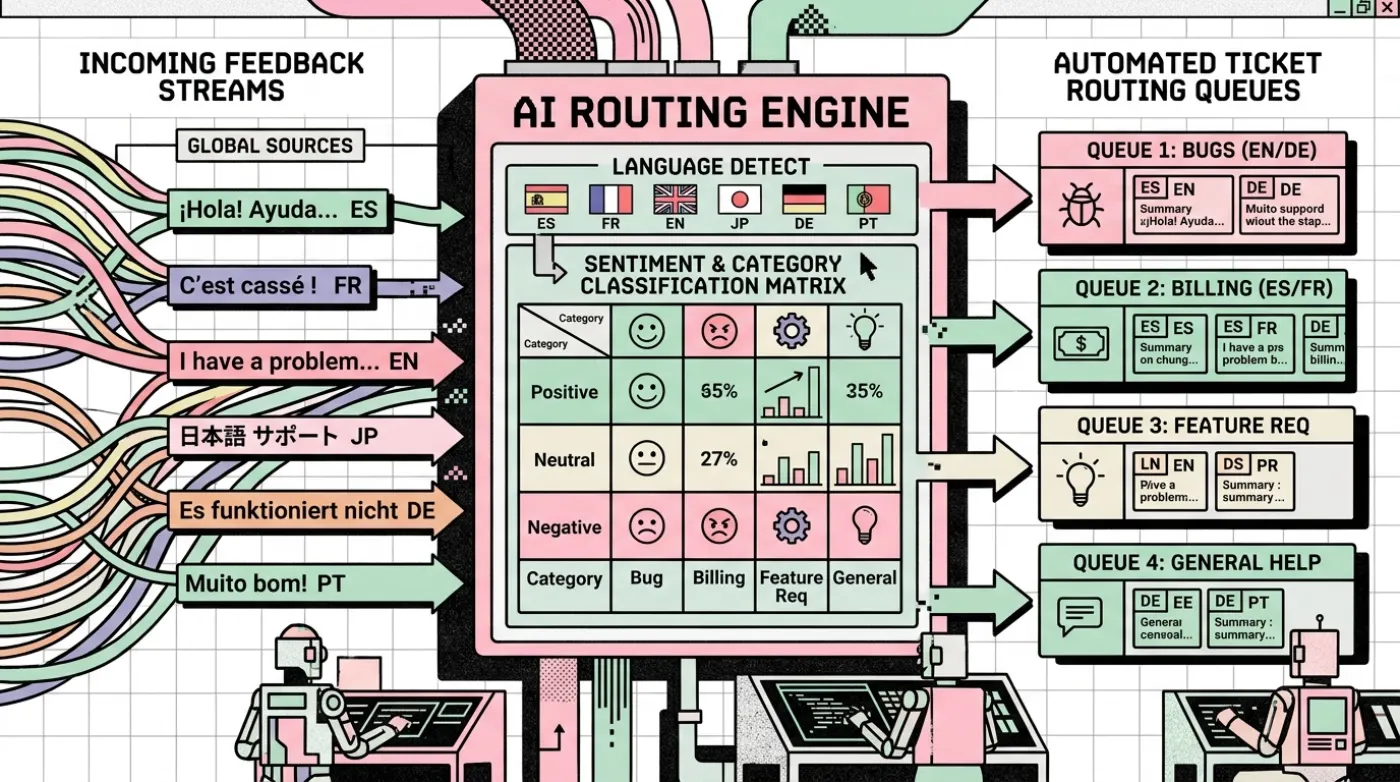
AI Workflow Automation: 7 Business Processes You Can Automate
Explore seven business workflows where AI can help with enquiries, documents, customer support, reporting, and internal knowledge—plus safeguards to plan.
Workflow design · 5 min read · Kriyvo journal

In this article
What is AI workflow automation?
AI workflow automation combines connected software steps with AI for tasks that involve interpreting language, extracting meaning, or generating a useful draft. A workflow still needs a trigger, access to the right data, validation rules, actions, and a way to handle failures.
The examples below are starting points. A business should adapt each one to its own systems, policies, and customers.
1. Website enquiries and lead routing
Problem: Enquiries arrive from different forms and are manually copied into a CRM.
Workflow: 1. Receive the form submission. 2. Validate contact details and required fields. 3. Check for duplicate records. 4. Use AI to summarize the request and classify the service. 5. Apply routing rules. 6. Create or update the CRM record. 7. Notify the owner and log the outcome.
Human checkpoint: Review incomplete, ambiguous, or high-priority enquiries.
Success metrics: Data completeness, response time, duplicate rate, and lead routing accuracy.
2. Customer support and FAQ responses
Problem: Staff repeatedly answer the same questions.
Workflow: 1. Receive a customer question. 2. Search an approved knowledge base. 3. Generate a response using relevant source material. 4. Check that the response is supported by the retrieved information. 5. Send a low-risk answer or route it for review. 6. Preserve the conversation and feedback.
Human checkpoint: Escalate complaints, account-specific issues, sensitive topics, and questions with insufficient evidence.
Success metrics: Resolution rate, factual accuracy, escalation quality, and customer satisfaction.
3. Document intake and data extraction
Problem: Employees manually read documents and copy fields into a system.
Workflow: 1. Receive a file through an approved channel. 2. Check file type, size, and access permissions. 3. Extract text or use an appropriate document processing service. 4. Extract fields into a defined schema. 5. Validate totals, dates, IDs, and required fields. 6. Route uncertain results to a person. 7. Store the approved result with appropriate access controls.
Human checkpoint: Verify records that affect money, contracts, eligibility, or other consequential decisions.
Success metrics: Field accuracy, manual correction rate, processing time, and exception rate.
4. Appointment scheduling and reminders
Problem: Customers and staff exchange multiple messages to find a suitable time.
Workflow: 1. Ask for the preferred service and time range. 2. Query the scheduling system for real availability. 3. Present only valid options. 4. Confirm the customer's selection. 5. Create the booking in the scheduling system. 6. Send confirmation and permitted reminders. 7. Provide a cancellation or rescheduling path.
Human checkpoint: Handle special requests or booking conflicts that cannot be resolved by the system.
Important rule: Do not let an AI model invent availability. The scheduling system is the source of truth.
Success metrics: Booking completion, missed appointments, double bookings, and rescheduling success.
5. Sales conversation summaries
Problem: Salespeople spend time writing notes after calls or long message exchanges.
Workflow: 1. Retrieve authorized conversation notes or transcripts. 2. Summarize customer needs, objections, and agreed next steps. 3. Separate confirmed facts from inferred possibilities. 4. Validate the summary format. 5. Save it to the correct CRM record. 6. Create follow-up tasks for review.
Human checkpoint: The salesperson verifies important commitments before the summary becomes an official record.
Success metrics: Note completion, correction rate, follow-up completion, and time spent on administration.
6. Internal reporting
Problem: Teams manually collect figures from several systems each week.
Workflow: 1. Run scheduled queries against approved data sources. 2. Validate the reporting period and data freshness. 3. Calculate totals and changes using deterministic logic. 4. Use AI to explain patterns or draft a plain-language summary. 5. Check the narrative against the calculated data. 6. Send the report to authorized recipients.
Human checkpoint: Review surprising movements, missing data, and explanations that could affect business decisions.
Success metrics: Reporting time, data errors, delivery reliability, and usefulness to recipients.
7. Internal knowledge search
Problem: Employees do not know which document contains the answer to a policy or process question.
Workflow: 1. Index approved documents and keep their access permissions. 2. Retrieve relevant passages for a question. 3. Generate an answer grounded in those passages. 4. Include source names or links where possible. 5. Say when the available information does not answer the question. 6. Record feedback and update stale documents.
Human checkpoint: Route policy conflicts and high-impact questions to the responsible owner.
Success metrics: Answer accuracy, source relevance, unanswered-question rate, and time to find information.
How to choose which workflow to automate first
Evaluate each process against:
- Frequency
- Time spent on manual steps
- Error rate
- Clarity of the business rules
- Availability and quality of the required data
- Integration effort
- Risk if the automation is wrong
- Ability to measure the result.
A repetitive workflow with clear rules and a low-risk failure mode is usually a better first pilot than a complex process requiring many subjective decisions.
A simple implementation method
- Document the existing process.
- Identify the trigger, inputs, actions, and exceptions.
- Define the expected result and baseline metrics.
- Build the smallest useful workflow.
- Test normal cases and failure cases.
- Keep a human review path.
- Monitor performance after launch.
- Expand only when the pilot shows reliable value.
Final thoughts
The strongest AI workflow is not necessarily the one with the most AI. Use ordinary automation for reliable rules and use AI for language, classification, extraction, or summarization when those capabilities solve a real problem.
Next step: Select one of the seven processes and estimate how many times it happens in a typical week.
Suggested CTA: Explore a practical workflow automation project with Kriyvo AI.
Need this built? n8n workflow automation
Maintainable n8n workflows for API and CRM integrations, AI-powered steps, lead processing, logging and failure handling.
See the serviceWritten for the Kriyvo journal. Product claims reported by third-party sources are not independent Kriyvo AI benchmarks.